Board
See sessions grouped by status, with stable task cards that keep unfinished work in view.
Understand task states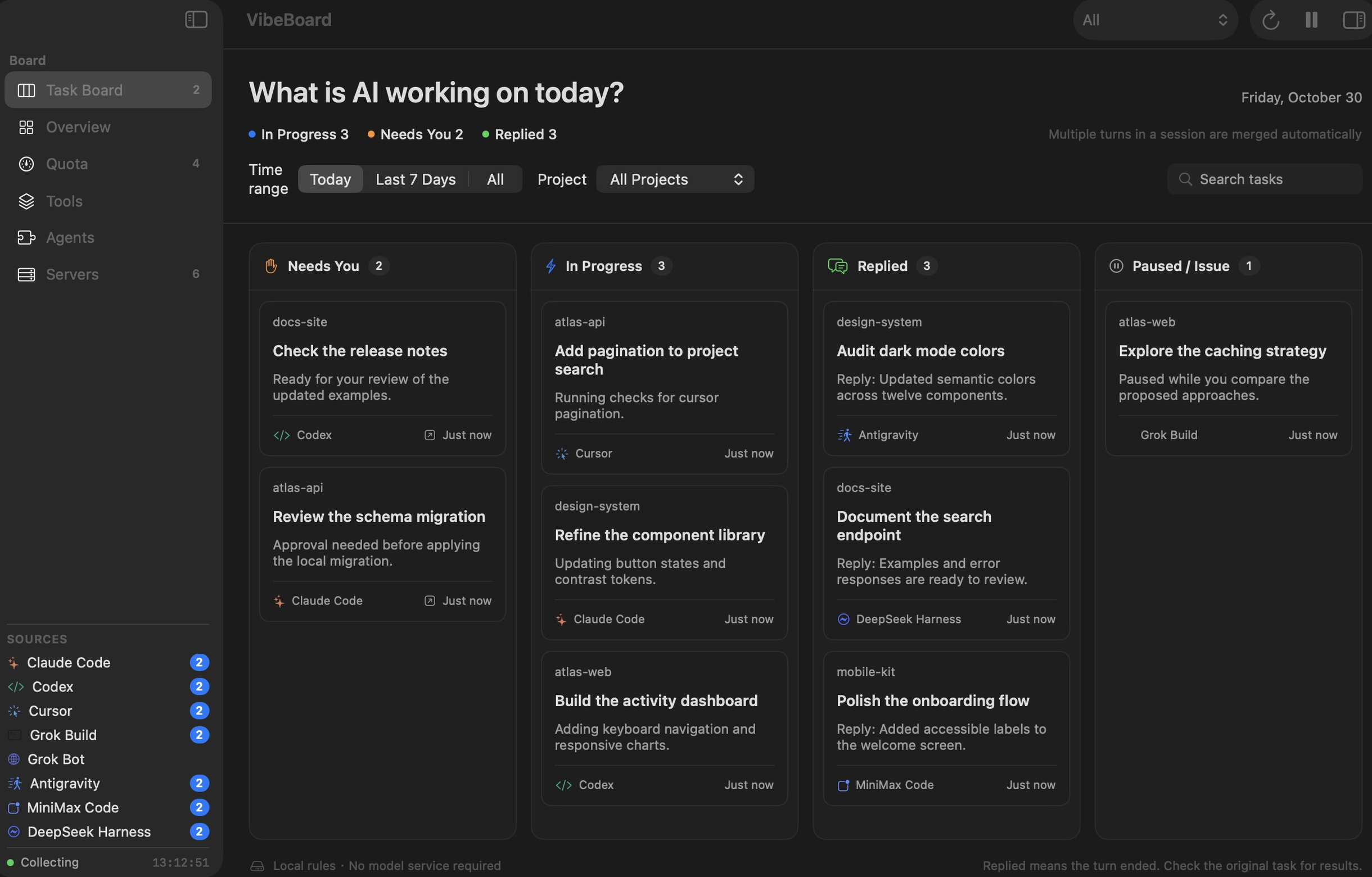
 VibeBoard by Lede
Know what is running, what needs you, and how much quota remains.
One native Mac dashboard for the tools you already use.
8 recognized sources, with different capabilities. Grok Bot is a quota-only integration.
Tasks, quotas, servers, and sources. Each with its own view.
See sessions grouped by status, with stable task cards that keep unfinished work in view.
Understand task statesCheck available usage readings, reset times, and clear explanations when a source cannot be read.
Explore quota support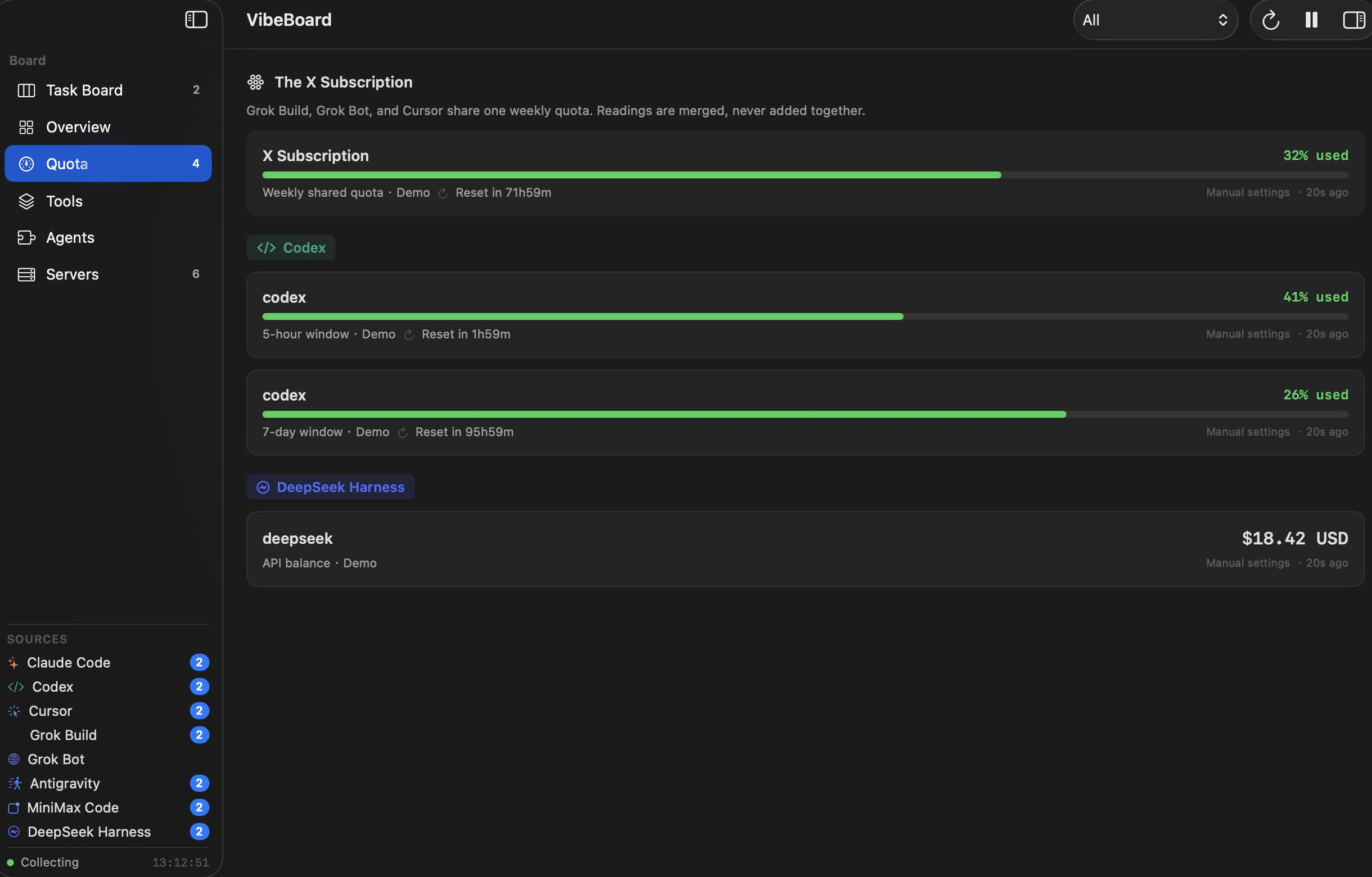
Find local development servers with their addresses, project context, and process details in one place.
Explore server management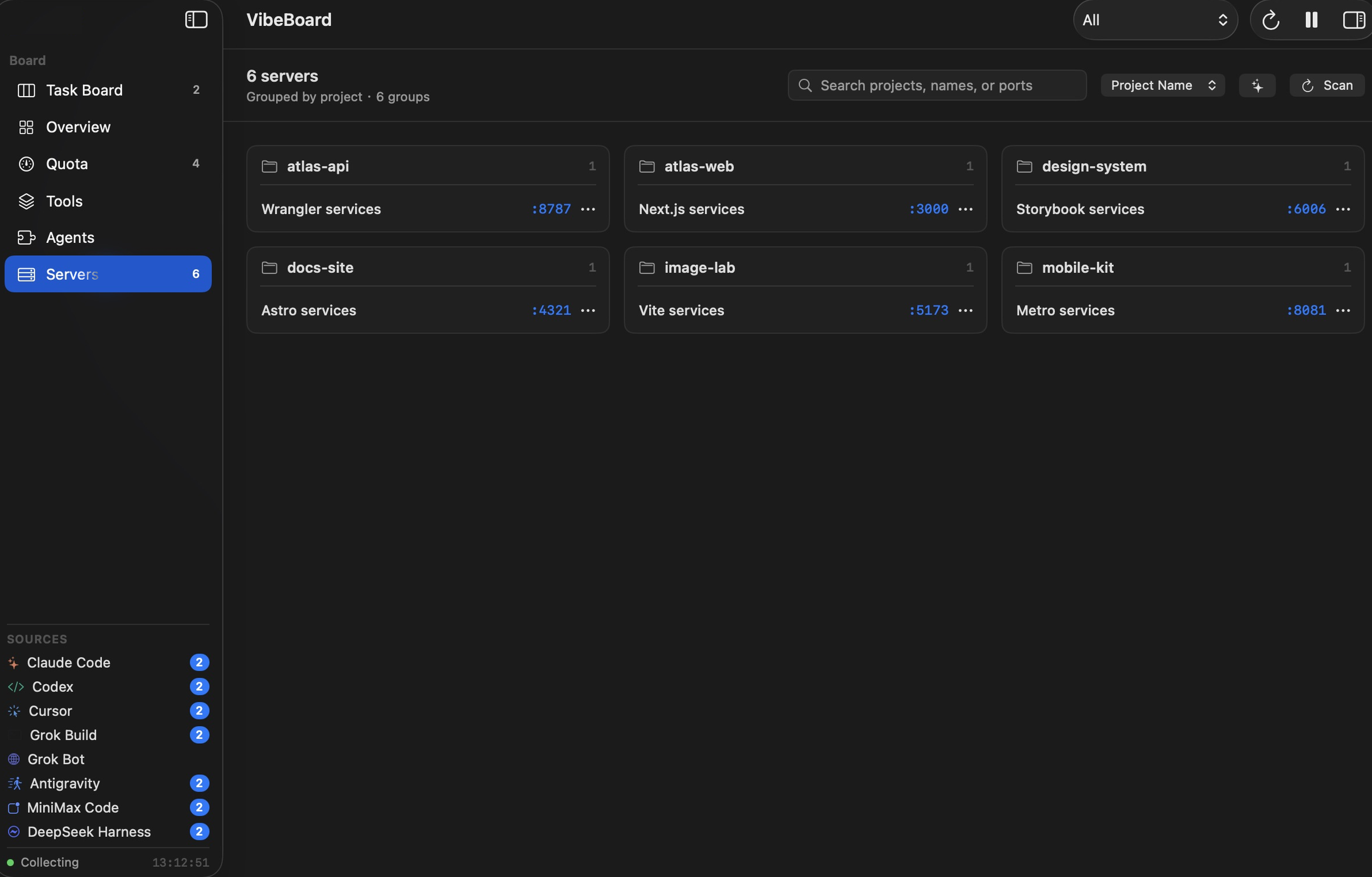
Review detected sources and configure supported hooks while keeping each agent in its own app.
See integration capabilities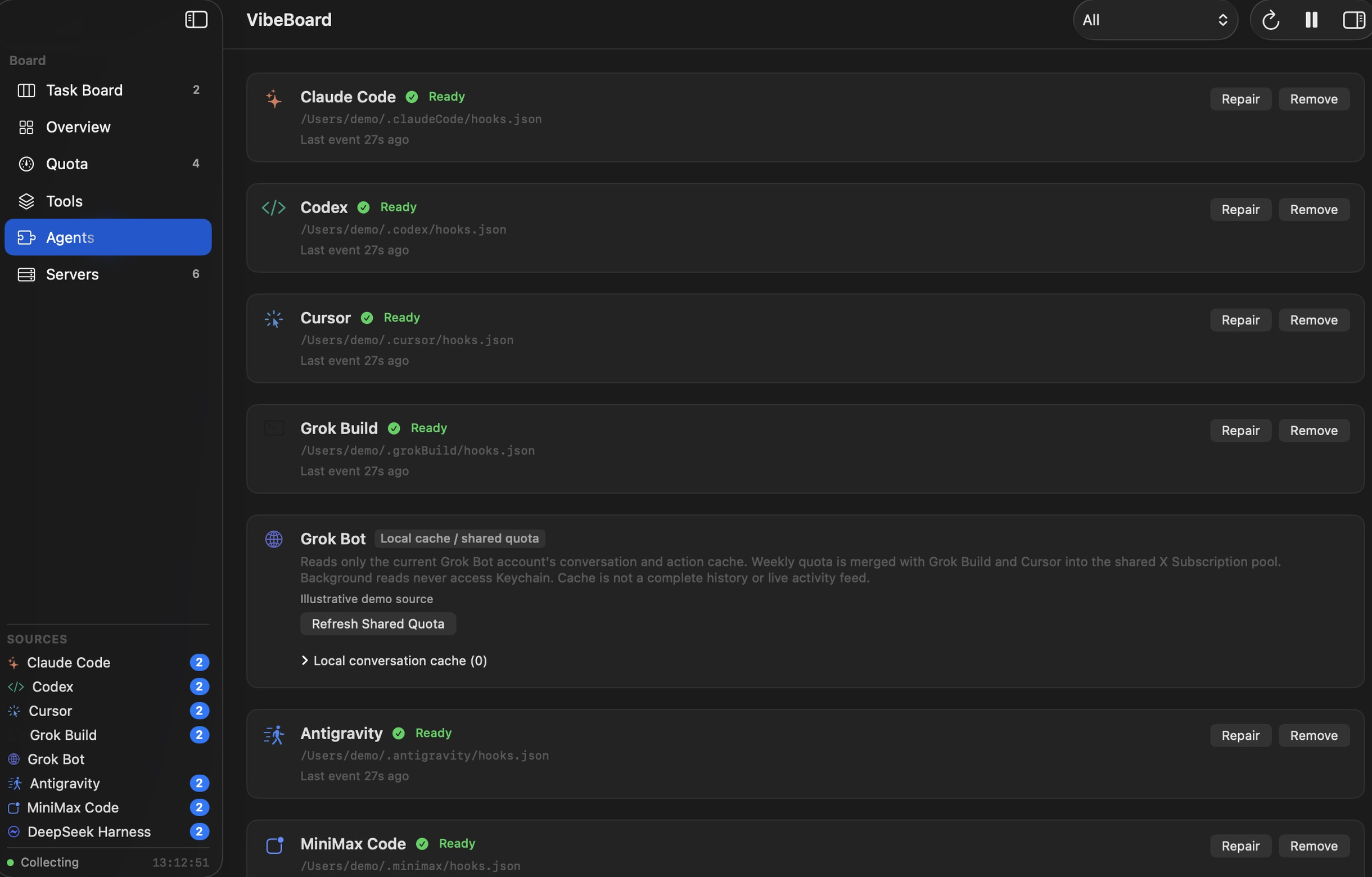
Find what needs you, what is running, and what is ready to review. Filter by project or time range, then return to the source app for the next step.
Get to know the boardSee which project owns a localhost address. Check the port and process, open the server, or copy its address without searching through terminals.
Explore local serversRoutine monitoring reads local logs and stores limited derived summaries.
Full conversations are not sent to VibeBoard servers.
Local logs, a local database, and no built-in work activity tracking.
No card for the trial. Your purchase email delivers and recovers your license.
Licensing, updates, and remote quotas connect online. Smart naming is optional and enabled by you.
No monthly fees or automatic renewal. Try it for 3 days, then decide.
VibeBoard All current featuresChoose how many Macs you need.
Final taxes are shown at checkout. Third-party AI services cost extra.
License details · Refund Policy
One-time purchase. Taxes may be calculated at Waffo checkout.
See tasks, requests that need your attention, subscription quotas, and local development servers in one native Mac window. Keep using your existing agents; VibeBoard helps you spot what needs attention next.
VibeBoard currently recognizes Codex, Claude Code, Cursor, MiniMax Code, DeepSeek Harness, Grok Build, Grok Bot, and Antigravity. Support varies: some integrations read session logs, others rely on hooks. Grok Bot only shows available shared subscription quota. Review the full support table and try your setup before buying.
View the full support matrix →No VibeBoard account or payment method is required. Connect to the internet to start a 3-day trial, available once per Mac. You will not be charged when it ends. Your purchase email is used to deliver your license key and recover purchases.
All current features on your selected number of Macs, plus updates while the product continues to be offered and supported. This is not a subscription and does not renew. Third-party AI services, model calls, and subscriptions are not included. Final taxes are shown at checkout.
Yes. Deactivate the old Mac in Settings → License, then activate the new one. If your old Mac is lost or broken and cannot be deactivated, contact [email protected] for a manual seat reset.
Starting a trial, activating, and refreshing a license require an internet connection. Paid licenses use signed 30-day offline credentials, which must be refreshed online when they expire. Going offline or reinstalling does not extend the trial. Remote quotas also require access to the relevant service.
Routine monitoring reads source logs locally and stores limited derived summaries. It does not upload code or full conversations. Licensing and updates make small network requests; quota checks contact the relevant service. If you enable smart naming, limited project metadata is sent to your configured AI endpoint. See the Privacy Policy.
License-controlled monitoring and actions stop. Existing local data is not deleted. Settings, the data folder, license recovery, and support remain accessible. Activate a purchased license to resume work.
VibeBoard is a native app for macOS 14 or later. Supported processor architectures depend on the actual package listed on the download page. There are currently no Windows, Linux, iPhone, or iPad clients.
Statuses come from agent events or local logs and depend on the source and environment. Without fresh events, a task is marked as needing status confirmation; silence is not treated as completion. “Replied” means the turn ended, not that the code passed your review.
Read the Refund Policy for its window, conditions, and statutory rights. After purchasing, request a refund through the customer portal or contact the developer through Support. Waffo handles hosted checkout; VibeBoard does not collect card numbers.
Read the Refund Policy →Keep your attention on creating, with a clear view of your work.
Download VibeBoardmacOS 14+ · Try free for 3 days